BeeReader: an e-book reader for Apple Watch
BeeReader turns Apple Watch into a book reader. You import TXT, EPUB or PDF files on your iPhone, BeeReader sends them to your watch, and you read them there, offline. This page sticks to what the app actually does, and what it doesn’t.
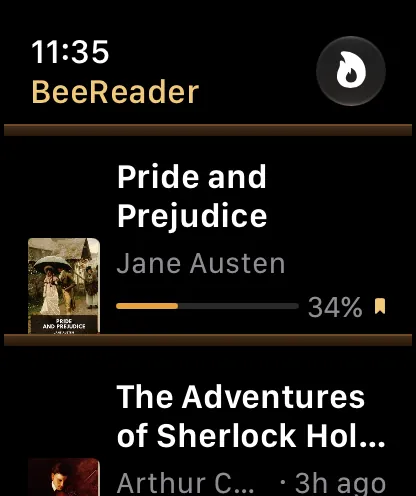

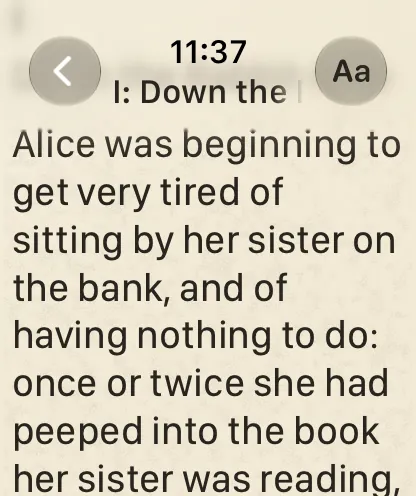
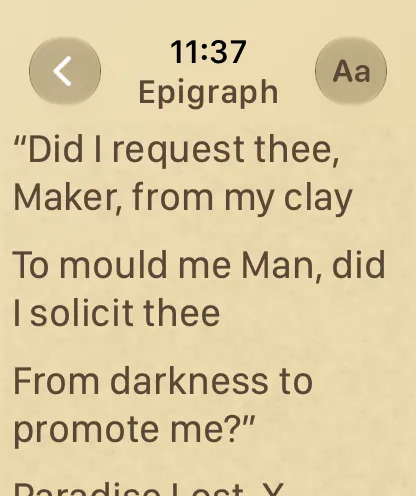
First 3 books free · BeeReader Pro is a one-time purchase, no subscription
Features
- Import TXT, EPUB and PDF files on iPhone from the Files app, iCloud Drive or the share sheet, and send them to the watch.
- Read fully offline on the watch once a book is there.
- Scroll with the Digital Crown; your reading position is saved automatically.
- Auto-scroll at an adjustable speed.
- Read-aloud on the watch, through its speaker or your headphones, with the page following along.
- A “continue reading” watch-face complication that takes you straight back to your book.
- Four themes (black, paper, sepia and night) and adjustable text size.
- On-device AI cleanup for messy PDFs, which fixes broken line breaks and removes running page headers.
- The iPhone bookshelf re-sends any book to a new Apple Watch in one tap.
How it works
- Download BeeReader from the App Store. It has an iPhone app and an Apple Watch app.
- On your iPhone, open a TXT, EPUB or PDF file in BeeReader: pick it from the Files app or iCloud Drive, or share it to BeeReader from another app.
- BeeReader sends the book to your watch. From then on you can read it on the watch, without your iPhone nearby and without a connection.
Free classics in the US and Japan App Stores
In the US App Store, BeeReader includes a library of about 1,500 public-domain classics from Standard Ebooks, which you can browse and send to your watch without finding files yourself. In the Japan App Store, it offers works from Aozora Bunko, the Japanese public-domain library. The library depends on your App Store region, and some regions have none: there, BeeReader reads the files you import.
Price
BeeReader is free to download, and your first 3 books are free. To import more, BeeReader Pro is a one-time purchase that unlocks unlimited imports. There is no subscription.
Privacy
BeeReader has no account and collects no data. Books are processed on your own iPhone and Apple Watch, and BeeReader doesn’t upload them anywhere.
Requirements
- Apple Watch with watchOS 11 or later
- iPhone with iOS 17 or later, for importing books
The App Store listing always has the current requirements.
What BeeReader doesn’t do
- Only TXT, EPUB and PDF. Other formats, such as MOBI or DOCX, aren’t supported.
- No DRM-protected books. Books bought from Kindle, Apple Books and similar stores are usually locked to those stores’ apps, and BeeReader can’t open them.
- No scanned PDFs. BeeReader reads the text inside a PDF. A scanned, image-only PDF has no text to extract, so it can’t be imported.
- Books are imported on the iPhone. The watch receives books from the iPhone app; you can’t add a book on the watch alone.
- It’s a small screen. A watch suits short sessions, like a commute, a queue or a few pages before sleep, more than hours of reading.
First 3 books free · BeeReader Pro is a one-time purchase, no subscription