Reading books on Apple Watch
Read on Watch is a set of practical guides to reading books on Apple Watch. We think three minutes in line or a few stops on the train is enough for a few pages: no need to pick up your phone, just raise your wrist. It is written and kept up to date by the team behind BeeReader, an e-book reader for Apple Watch.
Guides
- How to Put EPUB on Apple Watch
Yes, you can put a DRM-free EPUB on your Apple Watch with BeeReader. Import the file on your iPhone, and it is sent to your watch to read offline.
- Can You Finish a Book in Spare Minutes? Putting Scattered Time Back Together
Yes. Ten minutes a day adds up to about seven novels a year. The hard part is what your phone pulls you into. Why we read on Apple Watch, and where it falls short.
- How to Read Books on Apple Watch (2026)
Apple Watch has no built-in ebook app, but you can still read books on it. A step-by-step guide to getting TXT, EPUB and PDF books onto your wrist, with real screenshots and honest limits.
- Is There a Kindle App for Apple Watch? What to Use Instead
No. Amazon doesn't make a Kindle app for Apple Watch, and Kindle books can't be opened in other apps. Here's what does work: Audible on the watch, or a watch reader with DRM-free ebooks.
About BeeReader
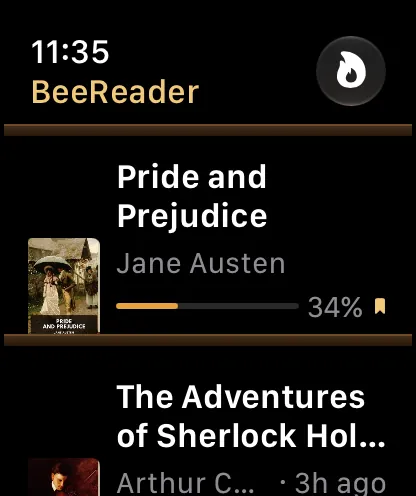
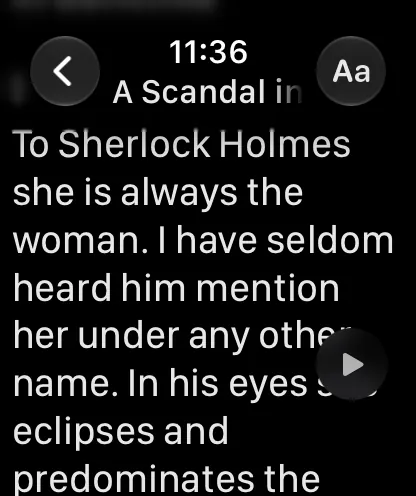
BeeReader is an Apple Watch app for reading your own TXT, EPUB and PDF files. Import a book on your iPhone and it is sent to your watch, where it reads fully offline, with Digital Crown scrolling, auto-scroll, read-aloud and four themes. No account, and no data collection.
First 3 books free · BeeReader Pro is a one-time purchase, no subscription