Is There a Kindle App for Apple Watch? What to Use Instead
No. There is no Kindle app for Apple Watch, and Kindle books are protected by DRM, so no other watch app can open them. For Amazon content on your wrist, Audible has an Apple Watch app for audiobooks. To read text on the watch, use a watch reader such as BeeReader with DRM-free books: free classics from Standard Ebooks or Project Gutenberg, or ebooks from stores that sell them without DRM.
Is there a Kindle app for Apple Watch?
No. Amazon makes Kindle apps for iPhone and iPad, but not for Apple Watch, and nothing on the watch can open your Kindle library.
Moving the books to another app doesn’t work either. Kindle books are sold with DRM that ties them to Amazon’s own apps and devices, so a different reader, including ours, can’t open them. This guide doesn’t cover ways around that. It covers what you can legitimately do instead.
The options at a glance
| Kindle | Audible | A watch reader with DRM-free books | |
|---|---|---|---|
| App on Apple Watch | No | Yes | Yes |
| What you get on the watch | Nothing | Audiobooks | Ebooks to read |
| Works with your Kindle purchases | — | Only if you also own the Audible version | No |
| Works offline on the watch | — | Yes, once downloaded | Yes |
| Needs Bluetooth headphones | — | Yes | Only for read-aloud |
Option 1: Listen with Audible on your watch
Audible, which Amazon also owns, does have an Apple Watch app. According to Audible’s help page, it needs watchOS 9 or later and Bluetooth headphones. You can stream titles when the watch has a data connection, or download them to the watch and listen without your iPhone.
If you own both the Kindle ebook and the Audible audiobook of the same title, Amazon’s Whispersync for Voice keeps your place in sync between the Kindle and Audible apps, where the title supports it. So you could listen on your wrist and pick the book up later on your phone.
The catch is that this is listening, not reading, and each audiobook is a separate purchase.
Option 2: Read DRM-free ebooks with a watch reader
If you want to read text on your wrist, you need a watch reader app and books without DRM. Several readers exist; they all have you add the book on your iPhone and then send it to the watch. We make one, BeeReader, and our step-by-step guide to reading books on Apple Watch shows the whole process with real screenshots.
Where to get DRM-free books
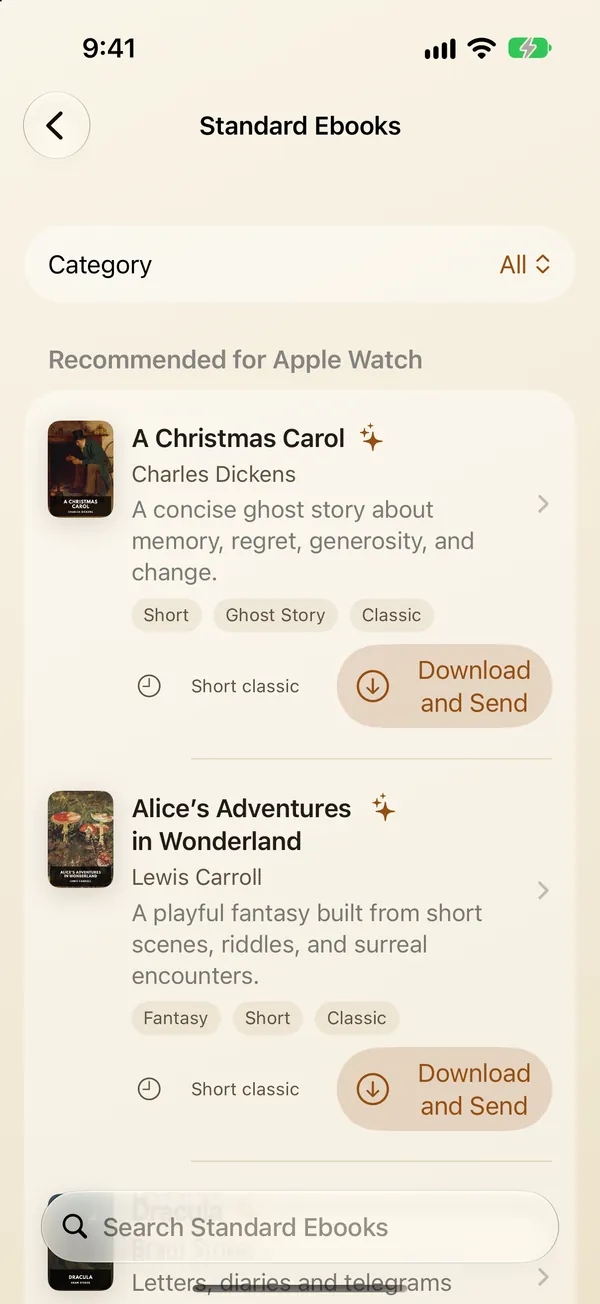
- Standard Ebooks: free public-domain classics in carefully formatted, modern editions. In the US App Store, BeeReader includes the whole Standard Ebooks catalog, about 1,500 books, so you can send one to your watch without downloading files yourself.
- Project Gutenberg: tens of thousands of free public-domain books, with EPUB downloads.
- Stores and publishers that sell without DRM: Smashwords sells books from independent authors without DRM; Humble Bundle and StoryBundle sell DRM-free ebook bundles; Baen Books sells its own titles DRM-free; and some Kobo books are marked DRM-free. Check that the listing says DRM-free before you buy.
- Your own documents: if you use Send to Kindle for your own EPUB or PDF files, you still have the originals. Import those into the watch reader instead.
What to expect from a watch reader
- Formats: BeeReader opens EPUB, TXT and PDF files. EPUB usually works best. MOBI and AZW3 aren’t supported, and scanned PDFs can’t be imported.
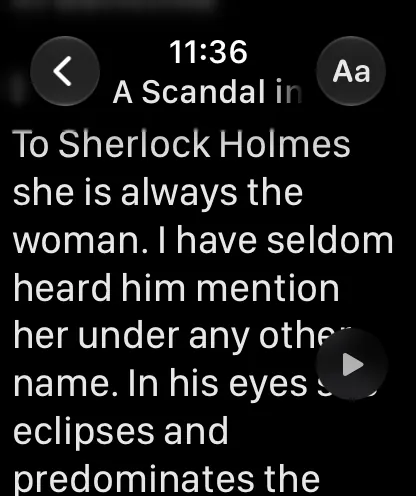
- Reading: you scroll with the Digital Crown or tap for the next screen. There are four themes and 9 text sizes, and an auto-scroll mode.
- Offline: once a book is on the watch, you don’t need your iPhone or a connection to read it.
- Listening: BeeReader can read a book aloud with the watch’s built-in voice, through Bluetooth headphones.
- Screen size: a watch is best for short sessions, a few pages at a time. For long reading sessions, your phone or a Kindle e-reader is still more comfortable.
Which option should you choose?
- You mostly listen to books: use Audible’s watch app.
- You want to read on your wrist: use a watch reader with DRM-free books. Free classics are the easiest way to start.
- You need your Kindle library specifically: keep reading it in the Kindle app on your iPhone. Your Apple Watch can’t open it.
Frequently asked questions
Is there a Kindle app for Apple Watch?
No. Amazon makes Kindle apps for iPhone and iPad, but not for Apple Watch.
Can I send my Kindle books to my Apple Watch?
No. Kindle books are protected by DRM and only open in Amazon's own apps and devices, so a watch reader can't open them. You can read DRM-free ebooks on the watch instead.
Can I listen to my Kindle books on Apple Watch?
Not through Kindle. If you also own the Audible audiobook, you can listen to it with Audible's Apple Watch app, which needs Bluetooth headphones.
What's the best way to read books on Apple Watch, then?
Use a watch reader app with DRM-free EPUB, TXT or PDF files. You add the book on your iPhone, the app sends it to your watch, and you read it offline.
Where can I get free books to read on Apple Watch?
Standard Ebooks and Project Gutenberg both offer free public-domain books as EPUB files. In the US App Store, BeeReader includes the whole Standard Ebooks catalog of about 1,500 books.